ChatGPT
 Gemini
 Claude
 Perplexity
 DeepSeek
 Grok
Grok
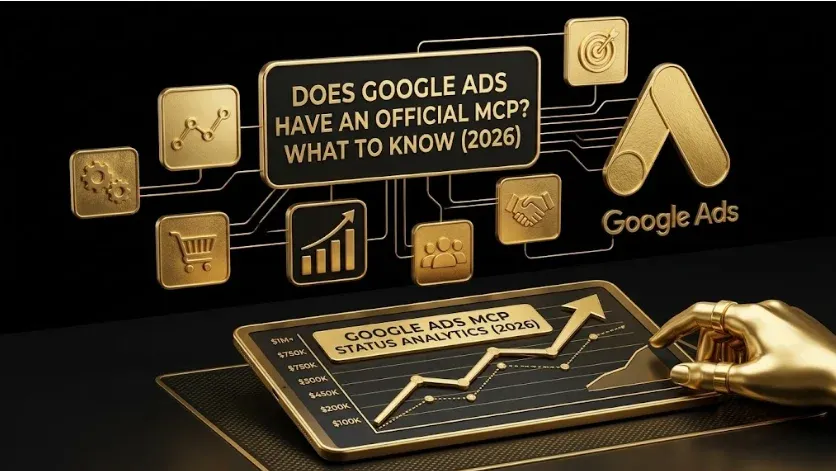
Does Google Ads Have an Official MCP? What Marketers Need to Know
Quick answer: Yes — Google publishes an official Google Ads MCP server. It connects the Google Ads API to AI assistants such as Claude, Gemini, and Cursor, and it is read-only: it exposes account discovery and a search tool that runs GAQL (Google Ads Query Language) to return reporting data. It cannot change bids, pause campaigns, or create assets — that read-only boundary is deliberate and is the safety model. For anything that changes an account, you need a separate write-enabled server.
Key takeaways
- Yes, it exists — a first-party, read-only Google Ads MCP server from Google.
- Read-only by design — it reports via GAQL but cannot modify the account.
- Watch the naming — two similarly named Google repos exist; use the one the official docs reference.
- Need changes? Add a write-enabled server behind human approval; don’t loosen the read-only one.
- Value lives in prompts — a reusable GAQL prompt library is what separates a decent agent from an excellent one.
This is one of the most common questions from marketers exploring AI workflows, and the answer has a nuance worth understanding. Yes, an official server exists — but what it does, and pointedly does not do, shapes how you should use it. This guide explains what the official Google Ads MCP server is, why it’s read-only, how to set it up, and when to reach for a third-party option instead.
Does Google Ads have an official MCP server?
Yes. Google provides a first-party, read-only Google Ads MCP server that connects the Google Ads API to AI assistants and runs GAQL queries for reporting. It is the canonical way to give an assistant direct, safe access to your Google Ads reporting data — and because it can’t make changes, you can point an agent at it without risking your live campaigns.
What is the official Google Ads MCP server?
The official Google Ads MCP server is Google’s first-party implementation of the Model Context Protocol (MCP) for the Google Ads API. MCP is an open standard for connecting AI assistants to external tools. Once connected to an MCP-compatible client, the server gives the assistant read access through two core capabilities: listing the accounts you can access, and running GAQL queries that return reporting rows. In practice, the entire reporting layer collapses into a single query tool — you ask a question, the assistant writes the GAQL, the server runs it, and you get the numbers.
Why is the official Google Ads MCP server read-only?
Because the safest thing an autonomous agent can do to a live ad account is nothing destructive. By refusing to mutate anything — no bid changes, no pauses, no new assets — the official server removes an entire category of risk. You can let an agent analyze freely and never worry that a hallucination pauses a top campaign. The constraint is the point. If you need to make changes, you add a write-enabled server behind a human-approval step rather than loosening the read-only one.
Is there more than one Google Ads MCP server from Google?
Yes — and there’s a naming trap worth flagging. Two Google-authored repositories with similar names exist, and following the wrong tutorial will cost you an afternoon. The canonical, read-only server is the one Google’s official documentation references. A related repository exposes a slightly different set of tools with different naming. If you’re copying config from an older guide, confirm which repository it targets before you paste anything.
How do you set up the official Google Ads MCP server?
The setup is developer-oriented. Confirm the current steps in Google’s official documentation, since tokens and config evolve.
- Get a Google Ads API developer token from your Google Ads manager account (approval can take a day or two).
- Create a Google Cloud project and OAuth credentials — or a service account for agency/manager-account use.
- Install the server, via the official package or hosted (for example on Cloud Run) if you want to share it across agents.
- Register it in your MCP client — Claude Desktop, Claude Code, Gemini CLI, or Cursor — then authorize.
Field note: For access across many accounts, a service account with the right delegation survives token expiry more cleanly than per-user OAuth. Scope one credential per account, keep the official read-only server for analysis, and layer a draft-first write server only where changes are actually needed.
What should marketers use the official Google Ads MCP server for?
Once connected, you ask in plain English and the assistant writes the GAQL. The highest-value uses:
- Morning account check: “What changed in spend and conversions since yesterday? Flag anomalies.”
- Waste audit: “Find exact-match keywords with 1,000+ impressions and under 1% CTR in the last 14 days.”
- Search-term mining: “List search terms over $50 spend with zero conversions this month.”
- Reporting on demand: “Build a CPL-by-campaign table for last quarter.”
The difference between a decent and an excellent Google Ads agent is the prompt library — the set of GAQL-backed questions you reuse. The server is the plumbing; the prompts are what produce value. Our GAQL prompt library gives you 50 to start with, and the Google Ads MCP resource covers a ready-made setup.
Official server vs. third-party: when should you switch?
| If you want to… | Use | Why |
|---|---|---|
| Report, audit, analyze | Official read-only server | Clean risk profile; GAQL covers it |
| Create/edit campaigns | Write-enabled server (draft-first) | Official can’t mutate accounts |
| Span many apps in one agent | A managed router | One endpoint, OAuth handled |
| Stand up something in minutes | A no-code connector | Fastest time-to-value |
For a full breakdown of the alternatives, see Google Ads MCP servers compared. And if you’re connecting more than one platform, the complete MCP stack for B2B SaaS marketing teams shows how the official Google Ads server fits alongside analytics and CRM connectors.
Frequently Asked Questions
Q1. Does Google Ads have an official MCP server?
Yes. Google provides a first-party, read-only Google Ads MCP server that connects the Google Ads API to AI assistants and runs GAQL queries for reporting. It cannot make changes to your account.
Q2. Can the official Google Ads MCP server change my campaigns?
No. It is read-only by design — it can pull data but cannot adjust bids, pause campaigns, or create assets. For changes, use a separate write-enabled server with a human-approval workflow.
Q3. Is the official Google Ads MCP server free to use?
The server is provided by Google; you supply your own Google Ads API developer token and run or host it, so your costs are infrastructure and API usage rather than a license fee.
Q4. Which MCP client works with the official Google Ads MCP server?
Any MCP-compatible client — including Claude Desktop, Claude Code, Gemini CLI, and Cursor. Register the server in the client’s configuration and authorize with your credentials.
Q5. Do I need to know GAQL to use it?
Not really — the assistant writes the GAQL for you. But a reusable library of well-formed questions markedly improves results, which is why experienced teams maintain a prompt library.
Sources & further reading
- Google Ads API — MCP server developer integration guide, Google for Developers.
- Google Ads Query Language (GAQL) reference — Google for Developers.
- Model Context Protocol — official specification, modelcontextprotocol.io.
Related guides: Google Ads MCP Servers Compared · GAQL Prompt Library: 50 Queries · The Complete MCP Stack for B2B SaaS Marketing Teams · MCP Servers: Complete Guide.