ChatGPT
 Gemini
 Claude
 Perplexity
 DeepSeek
 Grok
Grok
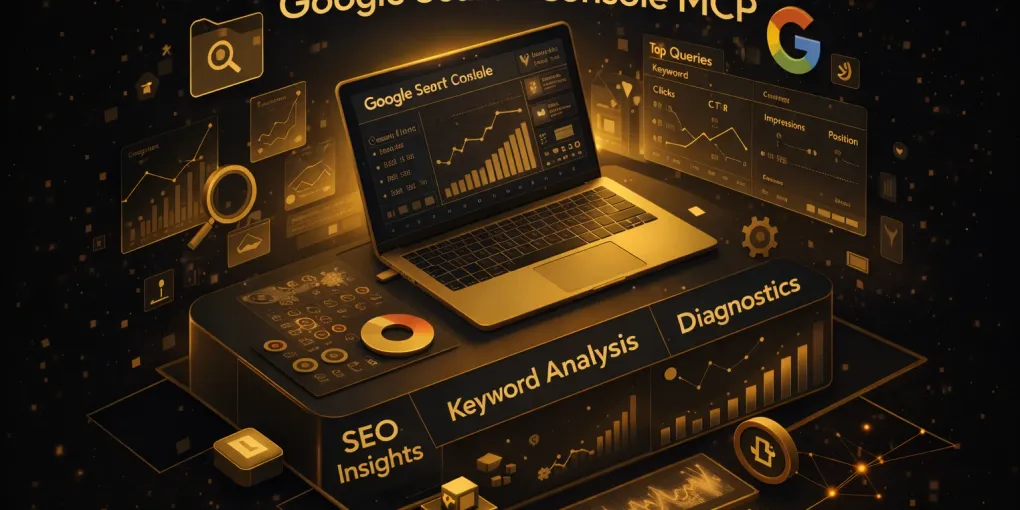
Google Search Console MCP: How to Connect GSC to Claude (2026 Guide)
Quick answer: A Google Search Console (GSC) MCP connects your Search Console data to an AI assistant like Claude, so you can analyze clicks, impressions, CTR, and average position in plain English instead of filtering and exporting in the UI. With GrowthSpree’s free MCP the setup is no-code and takes about five minutes. Two honest caveats up front: there is no official Google-built GSC MCP server — MCP is Anthropic’s open standard, and every GSC MCP (GrowthSpree’s and the community ones) is independent — and GSC data is not real-time; it typically lags 2–3 days.
TL;DR: GrowthSpree’s Google Search Console MCP connects your GSC property to Claude, turning search-performance data into a conversation. Setup is no-code and takes about five minutes; it’s free on any paid Claude plan, read-based, and connects alongside Google Ads, Meta, GA4, and HubSpot for cross-channel work. This guide covers the real setup, the SEO workflows that actually move rankings (striking-distance keywords, CTR wins, cannibalization, indexing), and two accuracy points most write-ups get wrong: GSC data isn’t real-time, and no official Google GSC MCP exists.
Google Search Console MCP: key facts
| Item | Detail |
|---|---|
| Setup time | ~5 minutes (no-code, hosted flow) |
| Cost | Free on any paid Claude plan |
| Access | Read/analysis (plus indexing requests on some servers) |
| Data latency | Not real-time — typically 2–3 day lag |
| Rows per request | Up to ~25,000 via the Search Analytics API (vs ~1,000 in the UI) |
| Official Google MCP? | No — all GSC MCP servers are independent |
| Dimensions | Query, page, country, device, date, search appearance |
| Cross-platform | Google Ads, Meta, GA4, HubSpot via the same account |
Every SEO knows the ritual: open Search Console, click Performance, add a filter, add another, compare date ranges, export to a spreadsheet, pivot, squint — and thirty minutes later you’ve answered one question that should have taken ten seconds. A GSC MCP removes that ritual. You ask Claude a question and it pulls the live data and answers. This guide shows how to set it up, the workflows that matter, and where to be careful.
What is a Google Search Console MCP?
A GSC MCP is a server that connects your Search Console data to an AI assistant using MCP (Model Context Protocol) — the open standard created by Anthropic. It bridges Claude to Google’s Search Console / Search Analytics API, so when you ask about your search performance, Claude queries your live GSC data and answers in natural language. GrowthSpree’s implementation is hosted and no-code; other servers are self-hosted. For the full ecosystem, see our complete MCP servers guide.
Key takeaway: Two things most GSC-MCP write-ups get wrong. (1) There is no “official Google GSC MCP server” — MCP is Anthropic’s standard; GrowthSpree and the community servers are independent, connecting via Google’s public APIs. (2) GSC data is not “real-time” — the Search Analytics API lags roughly 2–3 days, so don’t judge yesterday’s ranking on today’s pull.
Why query GSC through AI instead of the UI
- More data. The Search Analytics API returns up to ~25,000 rows per request — far beyond the ~1,000 the UI shows — so long-tail queries and pages aren’t truncated (some servers page beyond that).
- No pivoting. Multi-dimension questions (query × page × device × country) that need exports and pivot tables become a single prompt.
- Interpretation, not just data. Claude doesn’t only return numbers — it flags opportunities and suggests actions (“these queries are one position from page one”).
- Cross-property and cross-channel. Analyze several properties, and pair GSC with Google Ads or GA4 in the same conversation.
What Claude can pull from Search Console
| Category | Examples |
|---|---|
| Performance metrics | Clicks, impressions, CTR, average position |
| Dimensions | Query, page, country, device, date, search appearance |
| Trends | Period-over-period comparisons, drop/spike detection |
| Opportunities | Striking-distance keywords, low-CTR high-impression pages |
| Indexing* | URL inspection, sitemap status, indexing requests |
Indexing/write actions vary by server and are often disabled by default; GrowthSpree’s hosted MCP focuses on analysis.
How to connect Search Console to Claude (no-code)
With GrowthSpree’s hosted MCP the flow is no-code — no Google Cloud project, no service account, no JSON key.
- Sign up on the Google Search Console MCP page; you’ll get credentials by email.
- Log into the dashboard (Zipeline) via the login link.
- Connect your Search Console property with OAuth.
- Copy your secure token from the dashboard.
- Install Claude Desktop, then Settings → Extensions → Install Extension and drag in the .MCPB file.
- Paste your token, toggle ON, and start asking questions in a new chat. Prefer a self-hosted route? Community GSC MCP servers exist too, but they require a Google Cloud project, a service account with a JSON key, and adding that service-account email to your property — more control, more setup. The hosted flow above avoids all of it.
The SEO workflows that actually move rankings
Individual questions are nice; repeatable workflows are where the value is. The six that matter most:
1. Striking-distance keywords
Prompt: “Show queries ranking positions 8–20 with high impressions but low clicks — my best ranking-improvement opportunities — and suggest which pages to strengthen.” These are the fastest wins in SEO.
2. CTR opportunities
Prompt: “List pages with high impressions but CTR below 2%, and suggest title and meta-description improvements for each.” A CTR fix can lift clicks without any ranking change.
3. Keyword cannibalization
Prompt: “Find queries where more than one URL ranks and they’re competing — flag likely cannibalization and recommend which page should own each query.”
4. Page-decay diagnosis
Prompt: “Which pages lost the most clicks this month vs last, and is it driven by position, impressions, or CTR?” Separates a ranking drop from a demand or CTR drop.
5. Indexing checks
Prompt: “Check indexing status for these URLs and flag anything not indexed.” Catches pages silently missing from Google.
6. The monthly SEO report, written for you
Prompt: “Create a 28-day performance overview, call out unusual drops or spikes with likely causes, and give three prioritized next steps.”
Key takeaway: Striking-distance and CTR workflows are the highest-ROI SEO moves: they act on pages Google already shows, so small changes convert impressions you’re already earning into clicks.
Two things to get right
Respect the data latency. Because GSC lags 2–3 days, don’t react to the last 48 hours — use trailing windows (last 28 days vs the prior 28) for anything you act on.
It’s analysis, not automatic changes. The MCP surfaces opportunities and drafts fixes; you publish the title change, add the internal link, or submit the URL. Treat AI recommendations as a starting point, not gospel.
GrowthSpree vs other GSC MCP servers
GrowthSpree isn’t the only GSC MCP. A fair map:
| Server | Setup | Notes |
|---|---|---|
| GrowthSpree | No-code, hosted | Free on paid Claude; cross-channel (Ads/Meta/GA4/HubSpot) |
| Community (self-hosted) | Cloud project + service account + JSON key | Full control; more technical; 20+ tools on some |
| Zero-dependency binaries | Download binary + service account | No Node/Python; large row limits |
| Hosted actors (e.g. Apify) | Hosted, pay-per-event | Cannibalization/opportunity analyzers built in |
For the whole ecosystem and how to choose, see our best AI marketing MCP servers guide. Running paid search too? Pair this with the Google Ads MCP definitive guide and root cause analysis guide.
Common mistakes and tips
- Judging fresh dates. The last 2–3 days are incomplete — don’t optimize against them.
- Only pulling top queries. Ask for the long tail (the API returns far more than the UI) — that’s where striking-distance wins hide.
- Confusing position with clicks. A page can rank the same and lose clicks to a CTR or demand change — diagnose which.
- Sharing your token. Your API key authenticates access to your data — store it like a password.
Frequently Asked Questions
Q1. What is a Google Search Console MCP?
A server that connects your Search Console data to an AI assistant like Claude via the Model Context Protocol, so you can analyze clicks, impressions, CTR, and position in plain English instead of filtering and exporting in the UI.
Q2. Is there an official Google Search Console MCP server?
No. MCP is Anthropic’s open standard. Every GSC MCP — GrowthSpree’s and the community ones — is independent and connects through Google’s public Search Console API.
Q3. Is Search Console data real-time in the MCP?
No. GSC data typically lags 2–3 days regardless of how you access it. Use trailing date ranges (e.g. last 28 vs prior 28 days) for decisions.
Q4. Is the GSC MCP free?
GrowthSpree’s hosted GSC MCP is free on any paid Claude plan. Several community servers are free too but require a Google Cloud project and service-account setup.
Q5. How do I connect Search Console to Claude?
With GrowthSpree’s no-code flow: sign up, connect your GSC property via OAuth, copy your token, install the .MCPB extension in Claude Desktop, paste the token, and start asking questions.
Q6. How much data can it pull?
The Search Analytics API returns up to ~25,000 rows per request — far more than the ~1,000 the UI shows — so long-tail queries and pages aren’t truncated (some servers page beyond that).
Q7. What SEO tasks can it do?
Find striking-distance keywords (positions 8–20), spot low-CTR high-impression pages, detect cannibalization, diagnose page-decay, check indexing, and write performance reports.
Q8. Can it change my site or submit URLs?
Analysis is read-based. Some servers support indexing requests (often off by default); GrowthSpree’s hosted MCP focuses on analysis — you make the on-page changes.
Q9. Does it work with tools other than Claude?
MCP is an open standard, so it works with any MCP-compatible client (Claude, Cursor, and others). Claude has the most mature support as of 2026.
Q10. Do I need a Google Cloud service account?
Not with GrowthSpree’s hosted flow — you authorize via OAuth. Self-hosted community servers do require a Cloud project and service-account JSON key.
Q11. Can I analyze multiple properties?
Yes. GrowthSpree’s MCP supports multi-property analysis, and pairs GSC with Google Ads, GA4, and HubSpot in one conversation.
Get started
Stop clicking through Performance reports. Connect Search Console to Claude for free and ask your first question — just remember the data’s a couple of days behind, and no MCP here is “official Google.”
About the author: Ishan Manchanda is Co-Founder at GrowthSpree, a B2B SaaS marketing agency (Google Partner, HubSpot Solutions Partner, 4.9/5 on G2). GrowthSpree runs the MCP + QLA stack referenced here across 300+ B2B SaaS accounts and $60M+ in managed ad spend, and uses GSC MCP workflows daily for client SEO.