ChatGPT
 Gemini
 Claude
 Perplexity
 DeepSeek
 Grok
Grok
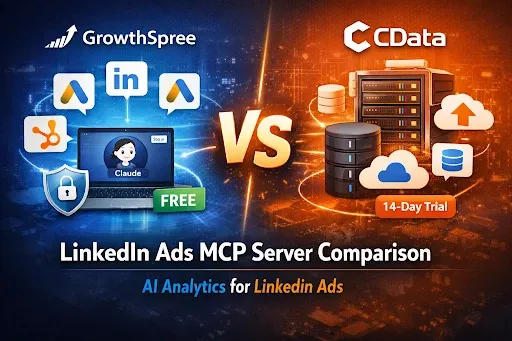
LinkedIn Ads MCP: GrowthSpree vs CData (2026 Comparison)
Quick answer: Both connect LinkedIn Ads data to an AI assistant like Claude, but they’re built for different buyers. CData’s LinkedIn Ads MCP is part of an enterprise data-integration platform — it exposes LinkedIn Ads (and hundreds of other sources) as governed SQL/JDBC data for data engineers, with a read-only open-source server or a managed platform (Connect AI) that adds full read-write. GrowthSpree’s LinkedIn Ads MCP is a free, no-code, read-only analytics tool built for marketers, with marketing context and cross-channel attribution across LinkedIn, Google, Meta, GA4, and HubSpot. Pick CData for data engineering; pick GrowthSpree for fast marketing analysis.
TL;DR: CData and GrowthSpree both connect LinkedIn Ads to Claude, but for different people. CData is an enterprise data-integration vendor: its LinkedIn Ads MCP exposes campaign data as governed SQL/JDBC (read-only open-source, or read-write via its managed Connect AI platform) for data engineers standardizing many sources. GrowthSpree’s is a free, no-code, read-only marketing MCP with built-in context and cross-channel attribution. This guide compares them fairly, shows where each wins, and gives an honest disclosure most write-ups skip: neither is an official LinkedIn product.
At a glance
| GrowthSpree LinkedIn Ads MCP | CData LinkedIn Ads MCP | |
|---|---|---|
| Built for | Marketers (non-technical) | Data engineers / analytics teams |
| Primary job | LinkedIn campaign analysis | Enterprise data integration |
| Read / write | Read-only | Read-only (OSS); read-write via Connect AI |
| Setup | No-code, minutes | JDBC driver + Java/config (OSS) |
| Pricing | Free | Driver licensed separately; Connect AI is paid |
| Data model | Marketing metrics + context | Relational SQL / JDBC across many sources |
| Cross-channel | LinkedIn + Google + Meta + GA4 + HubSpot | Hundreds of enterprise sources |
LinkedIn Ads MCP servers let an AI assistant query your campaign data in plain English instead of exporting reports from Campaign Manager. Two names come up often: CData and GrowthSpree. They both connect LinkedIn Ads to MCP-compatible AI — the open standard created by Anthropic — but they’re designed for different people. Here’s an honest comparison.
What each one actually is
CData LinkedIn Ads MCP
CData is a well-established enterprise data-integration vendor. Its LinkedIn Ads MCP server connects LinkedIn Ads to Claude Desktop through CData’s JDBC drivers, exposing the data as relational SQL models so an LLM can query it in natural language. The open-source server is read-only and requires the CData JDBC driver (licensed separately) plus a little Java and config-file setup — straightforward for a data team. For full read-write (CRUD) and a managed, governed endpoint, CData offers its Connect AI platform, which spans hundreds of enterprise sources with built-in governance. In short, CData’s strength is enterprise connectivity and control across many systems.
GrowthSpree LinkedIn Ads MCP
GrowthSpree’s server is purpose-built for B2B marketing teams. It’s free, installs with no code, and runs read-only — you authorize LinkedIn Ads via OAuth and ask Claude questions about campaign performance, demographic breakdowns (job title, seniority, company size, industry, geography), creative performance, and budget. Its differentiator is cross-channel context: the same MCP also connects Google Ads, Meta, GA4, Search Console, and HubSpot, so Claude can trace a LinkedIn impression through to a HubSpot closed-won deal. See it in our LinkedIn Ads MCP analysis guide and setup in connect LinkedIn Ads to Claude.
Where CData is the better choice
CData earns its place when the buyer is a data or engineering team. Choose it when you’re standardizing many enterprise sources (Salesforce, Snowflake, Workday, databases) under one governed connectivity layer, want SQL/JDBC/ODBC access, need access policies and governance, or require full read-write through a managed endpoint. Its relational, driver-based model is a feature for data teams — not a flaw — and LinkedIn Ads is simply one of hundreds of sources it can expose.
Key takeaway: CData’s complexity is a strength for its audience: governed SQL/JDBC access across hundreds of enterprise sources is exactly what a data platform team wants — it’s just more than a marketer needs to analyze LinkedIn campaigns.
Where GrowthSpree is the better choice
GrowthSpree fits when the buyer is a marketer who wants answers fast, without engineering. There’s no JDBC driver, no Java, and no license — you authorize LinkedIn Ads and start asking questions, with marketing context built in. And because the same MCP spans your whole marketing stack, you get the thing single-source tools can’t: cross-channel attribution. For LinkedIn cost and quality targets, see our 2026 LinkedIn Ads benchmarks.
An honest note on “official” and the wider landscape
Neither of these is an official LinkedIn product. Independent LinkedIn Ads MCP servers — GrowthSpree, CData, Radiate B2B (managed, no setup), Windsor.ai (read-write actions), and community projects — connect through LinkedIn’s public Marketing API and aren’t affiliated with or endorsed by LinkedIn or Microsoft, so review the source and terms before connecting a production account. For the full map, see our best AI marketing MCP servers guide and the complete MCP servers guide. (Comparing Google Ads options instead? See Google Ads MCP vs Zapier.)
How to choose
- You’re a marketer who wants LinkedIn answers fast → GrowthSpree (free, no-code, marketing context, cross-channel).
- You’re a data team unifying many governed sources → CData (SQL/JDBC, governance, hundreds of connectors).
- You need to write changes back to LinkedIn → CData Connect AI (CRUD), or a read-write marketer tool like Windsor.ai.
- You want cross-channel attribution (LinkedIn + Google + CRM) → GrowthSpree, which spans the marketing stack in one conversation.
Decision checklist
Five questions settle the choice in a few minutes:
- Who will use it daily? Marketers analyzing campaigns → GrowthSpree. Data engineers building governed pipelines → CData.
- Is LinkedIn the whole job, or one source of many? LinkedIn-focused analysis favors the purpose-built tool; hundreds of sources under one governance model favors CData.
- Do you need SQL semantics and governance? If your data team standardizes on SQL access and audited connectors, that’s CData’s home turf.
- What’s the setup budget? Five no-code minutes versus a configured enterprise deployment — match the effort to the team you have.
- What does it need to cost? GrowthSpree’s LinkedIn MCP is free for marketers; CData is licensed enterprise software priced for data-platform value.
Can you run both?
Yes — and larger organizations often should. A common pattern: marketing runs the free purpose-built MCP for day-to-day campaign analysis in Claude, while the data team runs CData to feed LinkedIn data into the warehouse alongside every other governed source. The tools answer different questions for different teams; there’s no conflict in connecting both.
Common misconceptions
- “CData is just harder to set up.” Its setup is more technical because it’s an enterprise data layer — that governance and breadth are the point for data teams.
- “GrowthSpree can write changes.” No — its LinkedIn Ads MCP is read-only. It analyzes and recommends; you apply changes in Campaign Manager.
- “One of them is official.” Neither is — both are independent servers on LinkedIn’s public Marketing API.
Frequently Asked Questions
Q1. What’s the difference between GrowthSpree and CData LinkedIn Ads MCP?
CData focuses on enterprise data integration — exposing LinkedIn Ads as governed SQL/JDBC data for data teams. GrowthSpree focuses on marketing analysis — a free, no-code, read-only MCP with marketing context and cross-channel attribution.
Q2. Which is easier for a marketer to set up?
GrowthSpree, because it’s no-code: authorize LinkedIn Ads and start asking Claude questions. CData’s open-source server needs a licensed JDBC driver and some Java/config setup, which suits data engineers.
Q3. Is either one free?
GrowthSpree’s LinkedIn Ads MCP is free. CData’s open-source server is MIT-licensed but requires its JDBC driver (licensed separately), and its managed Connect AI platform is a paid enterprise product.
Q4. Can they write changes back to LinkedIn Ads?
GrowthSpree’s LinkedIn Ads MCP is read-only. CData’s open-source server is also read-only, but its Connect AI platform supports full read-write (CRUD).
Q5. Are these official LinkedIn tools?
No. Both are independent servers that connect via LinkedIn’s public Marketing API and aren’t affiliated with or endorsed by LinkedIn or Microsoft. Review the source and terms before connecting a production account.
Q6. Which is better for cross-channel analysis?
GrowthSpree, because the same account connects LinkedIn, Google, Meta, GA4, and HubSpot — so you can compare channels and trace LinkedIn to pipeline in one conversation.
Q7. What data can each analyze?
Both query LinkedIn campaign metrics and demographics in natural language. GrowthSpree ships marketing context and cross-channel; CData exposes the data as relational SQL alongside hundreds of other enterprise sources.
Q8. Does CData support other data sources?
Yes — that’s its core strength. CData connects hundreds of enterprise sources (Salesforce, Snowflake, Workday, and more) through one governed layer.
Q9. Which should an agency choose?
Usually GrowthSpree, for fast no-code analysis across client marketing stacks. A data-engineering-heavy org standardizing governed sources may prefer CData.
Q10. Are there other LinkedIn Ads MCP options?
Yes — Radiate B2B (managed, no setup), Windsor.ai (read-write actions, 220+ metrics), and community servers. Choose by setup effort, read vs write needs, and whether you want cross-channel context.
Q11. Can marketing and data teams each use their own tool?
Yes — a common enterprise pattern: marketing runs the free purpose-built MCP for daily campaign analysis in Claude, while the data team runs CData to feed LinkedIn data into the governed warehouse. They answer different questions and coexist cleanly.
Q12. Which is faster to get running?
GrowthSpree’s LinkedIn MCP connects in about five no-code minutes via OAuth and a Claude Desktop extension. CData is enterprise software — setup involves configuring connectors and access policies, which is normal for a governed data platform.
The bottom line
CData is an enterprise data-integration platform that happens to include LinkedIn Ads; GrowthSpree is a marketing analytics MCP that happens to be free and no-code. If a data team is unifying many governed sources, CData is the right layer. If a marketer wants to chat with LinkedIn campaign data and see it alongside the rest of the funnel, GrowthSpree is the closer fit. Get free access to the GrowthSpree LinkedIn Ads MCP.
About the author: Ishan Manchanda is Co-Founder at GrowthSpree, a B2B SaaS marketing agency (Google Partner, HubSpot Solutions Partner, 4.9/5 on G2). GrowthSpree runs LinkedIn Ads through MCP across 300+ B2B SaaS accounts and $60M+ in managed ad spend, alongside Google, Meta, GA4, and HubSpot in one cross-channel stack.